 RockCloud-基石云安全-官方博客
I. Definition of CDN
CDN stands for Content Delivery Network. Its purpose is to add a new caching layer on top of the existing internet, delivering website content to network nodes closest to users, enabling fast access to required content and improving response speed. Technically, it solves the slow access problem caused by limited network bandwidth, high user traffic, and uneven distribution of points. Simply put, CDN works by caching origin server resources on CDN nodes worldwide; when a user requests a resource, it is returned from the nearest node, avoiding network congestion, reducing origin server load, and ensuring fast access speed and user experience.
CDN Node
CDN optimizes the network in the following ways:
- Solves the first-mile problem on the server side
- Mitigates or eliminates bottlenecks caused by interconnection between different ISPs
- Reduces pressure on provincial egress bandwidth
- Relieves backbone network burden
- Optimizes distribution of hot online content
II. How CDN Works
Traditional Access Process
Traditional Access Process
The process when a user visits a website without CDN caching:
- User enters domain name, OS queries LocalDNS for the IP address.
- LocalDNS queries ROOT DNS for the authoritative server of the domain (assuming LocalDNS cache is expired).
- ROOT DNS responds to LocalDNS with the authoritative DNS record of the domain.
- LocalDNS obtains the authoritative DNS record and queries the authoritative DNS for the domain's IP address.
- The authoritative DNS queries the domain record and responds to LocalDNS.
- LocalDNS returns the obtained IP address to the user.
- User gets the IP address and visits the site server.
- The site server responds and returns content to the client.
CDN Access Process
CDN Access Process
The process after using CDN caching:
- User enters domain name, OS queries LocalDNS for the IP address.
- LocalDNS queries ROOT DNS for the authoritative server of the domain (assuming LocalDNS cache is expired).
- ROOT DNS responds to LocalDNS with the authoritative DNS record of the domain.
- LocalDNS obtains the authoritative DNS record and queries the authoritative DNS for the domain's IP address.
- The authoritative DNS queries the domain record (usually CNAME) and responds to LocalDNS.
- LocalDNS obtains the domain record and queries the intelligent scheduling DNS for the domain's IP address.
- The intelligent scheduling DNS, based on algorithms and policies (e.g., static topology, capacity), returns the most suitable CDN node IP address to LocalDNS.
- LocalDNS returns the obtained IP address to the user.
- User gets the IP address and visits the site server.
- The CDN node server responds and returns content to the client (the cache server saves the data locally for future use and returns it to the client, completing the data service).
From the above analysis, to achieve transparency for ordinary users (no configuration needed on the client side after caching), DNS is used to direct users to cache servers, enabling transparent acceleration. Since the first step of accessing a website is domain name resolution, modifying DNS to guide users is the simplest and most effective method.
Components of a CDN Network
For ordinary internet users, each CDN node acts as a website server placed nearby. By taking over DNS, user requests are transparently directed to the nearest node, and the CDN server on that node responds like the original server. Because it is closer to the user, response time is faster.
In the diagram above, the part enclosed by the dashed circle is the CDN layer, which sits between the user and the site server.
- Intelligent scheduling DNS (e.g., F5's 3DNS) is a key system in CDN services. When a user visits a website using CDN, the domain resolution request is ultimately handled by the "intelligent scheduling DNS." It uses predefined policies to provide the user with the address of the nearest node, ensuring fast service. It also communicates with CDN nodes worldwide to track their health, capacity, etc., ensuring requests are directed to the nearest available node.
- Caching functions, load balancing devices (e.g., LVS, F5's BIG-IP), content cache servers (e.g., Squid), shared storage
III. Terminology
CNAME Record
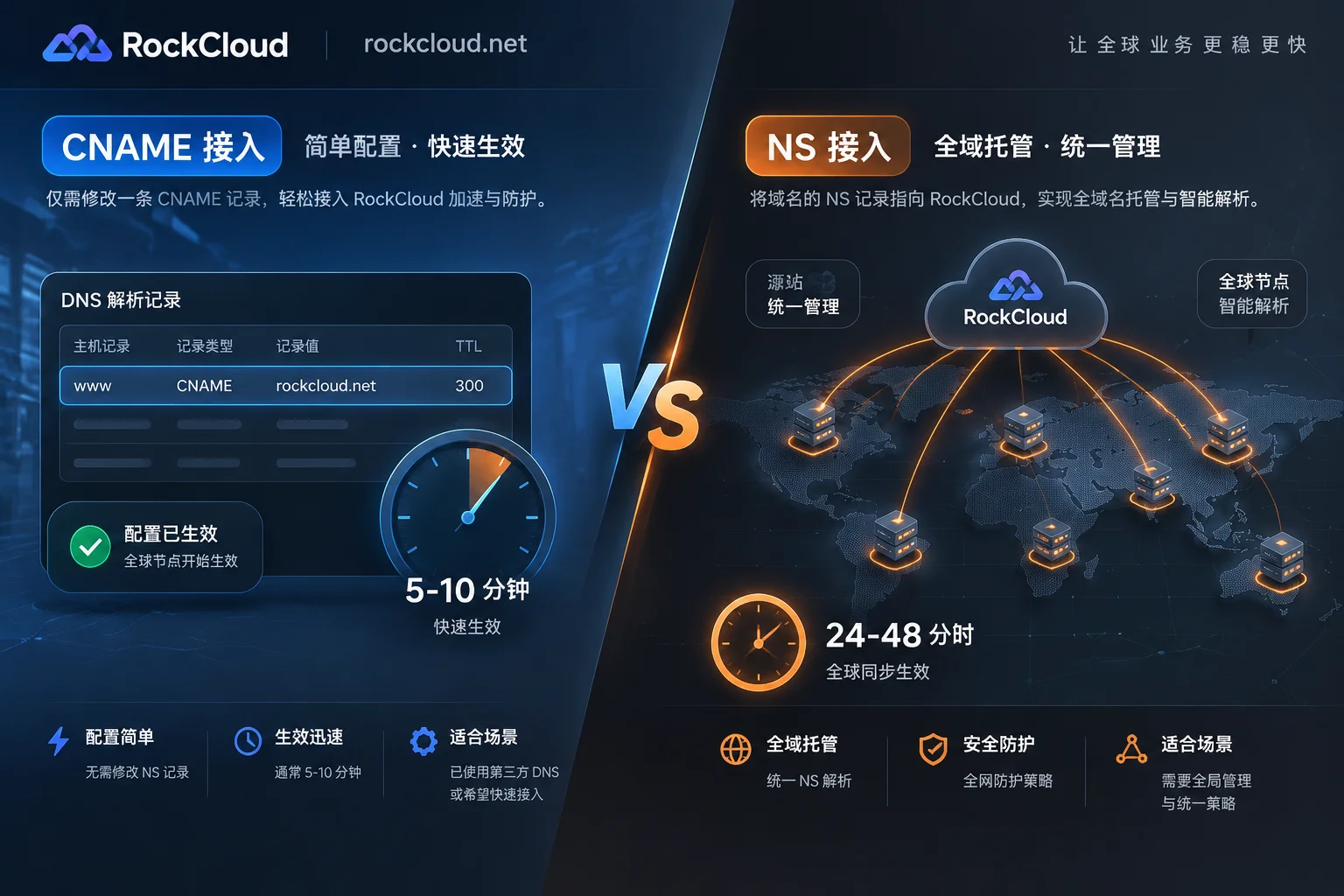
CNAME stands for Canonical Name; it resolves one domain name to another. When the DNS system queries the left side of a CNAME, it redirects to the right side, tracing until a final PTR or A record is found; otherwise, the query fails. For example, you have a server with many resources accessible via docs.example.com, but you also want them accessible via documents.example.com. You can add a CNAME record in your DNS service provider, pointing documents.example.com to docs.example.com. After that, all requests to documents.example.com will be redirected to docs.example.com, serving the same content.
CNAME Domain
When you enable CDN, after adding an acceleration domain in the CDN provider console, you get a CNAME domain assigned by CDN. You need to add a CNAME record in your DNS service provider, pointing the acceleration domain to this CNAME domain. This way, requests to that domain will be directed to CDN nodes, achieving acceleration.
DNS
DNS stands for Domain Name System, which provides domain name resolution services. It converts domain names into IP addresses that networks recognize. People are accustomed to remembering domain names, but machines only recognize IP addresses. The mapping between domain names and IP addresses is one-to-one, and the conversion process is called domain name resolution, performed by dedicated DNS servers automatically. For example, typing www.baidu.com in a browser automatically translates to 220.181.112.143. Common DNS service providers include: JiShi Cloud DNS, ChinaDNS, DNSPod, XinNet DNS, Route53 (AWS), Dyn, JiShi Cloud, etc.
Origin Host
Origin host determines which specific site on the origin server receives the origin-pull request.
Example 1: Origin is a domainwww.a.com, origin host iswww.b.com. The actual origin-pull request goes to the IP resolved fromwww.a.comand hits the sitewww.b.comon that host.
Example 2: Origin is an IP1.1.1.1, origin host iswww.b.com. The actual origin-pull goes to the host at1.1.1.1and hits the sitewww.b.com.
Protocol Origin-Pull
It means the protocol used for origin-pull matches the protocol used by the client when accessing the resource. If the client uses HTTPS to request a resource, and the CDN node does not cache it, the node uses the same HTTPS protocol to fetch the resource from the origin. Similarly, if the client uses HTTP, the CDN node uses HTTP for origin-pull.