 RockCloud-基石云安全-官方博客
Emergency response and remediation steps after origin IP leak: first use Step 0 to determine if the leak is real, then follow the five-step bleeding control sequence of "containment → assessment → IP change → exposure fixation → verification": first confirm whether it is a real leak, then immediately use access control to contain (faster than changing IP), then assess whether to downgrade or rate-limit, only change IP if criteria are met, and finally use origin authentication to fix exposure and verify that external direct connections are no longer possible. This article only covers the order of actions during an incident, the speed of effect, and verification signals—it does not enumerate leak points; for pre-incident self-checks, refer to our article on How to Prevent Origin IP Exposure.
In June 2026, CISA released implementation guidance for BOD 26-04, requiring organizations to reduce public exposure and move protections and access control to the network edge to shorten emergency response windows. In August of the same year, Google Cloud Media CDN updated its origin architecture guide, clarifying that multi-tier caching and Origin Shield can aggregate origin requests and prevent thundering herd effects. These two official documents together support one principle: when an origin IP leaks, actions at the edge take effect faster than actions at the origin.
Step 0: Determine whether the origin IP is truly leaked or if origin configuration is redirecting traffic to the origin
Don't rush to change the IP. Many "suspected leaks" are actually origin configuration issues—the CDN redirects traffic back to the origin, making logs look like direct connections. Misjudgment costs you a business interruption for nothing.
Use four signals to distinguish:
- Do all client IPs in the origin access logs fall within the CDN's origin IP ranges? If so, it is likely an origin routing issue, not a leak.
- Do connections carry origin-return headers (such as custom headers)? Requests without headers are truly direct external connections.
- Do the destination port and Host field match the CDN configuration? Mismatches indicate independent probing.
- Have historical DNS resolutions or certificate transparency logs ever exposed the origin address? Only if so is it a confirmed leak.
If all four signals point to "no external IPs appearing," the problem is in the origin configuration, and changing the IP will only cause a needless business interruption.
Step 1: Contain access control: whitelist only the CDN origin IP ranges, which takes effect faster than changing the IP
Regardless of whether there is a real leak, the first step is not to change the IP but to apply whitelist containment in the origin security group/firewall. Rule-based changes do not require business re-resolution, take effect fast, and roll back quickly. Locking down sources first immediately narrows the exposure surface.
Contain in this order:
- Restrict sources first: only allow CDN origin IP ranges and operations bastion host IPs.
- Then restrict ports: only keep business-essential ports like 80/443, close all others.
- Finally handle other outbound services: email, monitoring, object storage callbacks, etc., converge one by one.
The key difference: adding rules one by one on the origin firewall versus having the edge handle connection termination and access decisions—the latter is faster and more covert. CISA's BOD 26-04 emphasis on "moving access control to the edge" is precisely to shorten this window. Combined with origin whitelisting, the origin only accepts connections from edge origin IP ranges; other sources are rejected at the origin entrance. After moving connection termination and access decisions to the edge, such requests are handled before reaching the origin.
Step 2: Assess: distinguish between "still can handle" and "already saturated" to decide on degradation and rate limiting
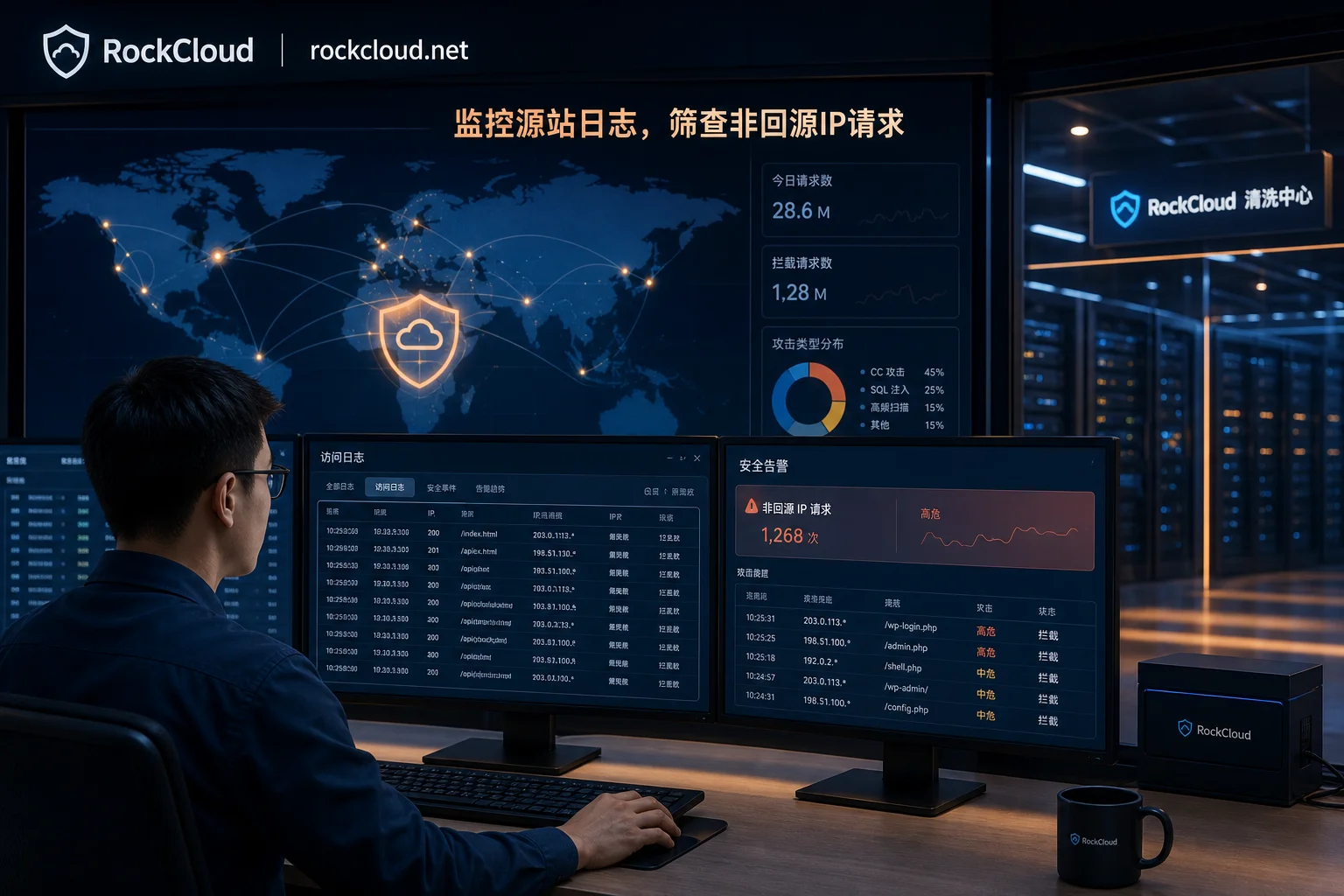
After containment, immediately assess the current pressure on the origin and decide whether to proactively degrade. Monitor five observability items:
| Observability Item | Judging Criteria | Corresponding Action |
|---|---|---|
| Bandwidth/PPS | Close to egress limit | Enable edge scrubbing or rate limiting |
| Connection count/connection pool usage | Exhausted | Limit new connections or queue |
| CPU/backend queue | Sustained high | Degrade non-core paths |
| Error rate/latency percentiles | Noticeable degradation | Prioritize core APIs |
| Behavioral characteristics | Slow attacks, low-frequency abuse | Use layer-7 behavioral scrubbing; don't rely solely on bandwidth |
Layer-4 bandwidth suppression and layer-7 behavioral scrubbing must be accepted separately. Slow attacks and low-frequency API abuse do not trigger bandwidth thresholds but can silently exhaust connection pools and CPU. If you only watch bandwidth, you may misjudge as "still can handle" when it is actually on the verge of saturation. For detailed actions on degradation and rate limiting, refer to DDoS Emergency Response.
Step 3: Change IP: when to change and what must be completed before changing
Change the IP only if any of the following criteria are met:
- Direct connections persist after containment, indicating the whitelist did not cover all exposure paths;
- The origin address has appeared in public sources (such as certificate transparency logs, passive DNS, historical resolution records);
- There are exposure surfaces that cannot be solved with whitelisting (e.g., third-party callbacks that must directly access the origin).
Before changing the IP, you must complete four things:
- Confirm the new address is not in any historical resolution records, to avoid changing to an "old IP."
- Simultaneously update the CDN origin configuration and origin whitelist so the new IP takes effect immediately. Refer to Seamless High-Defense CDN Configuration Process.
- Prepare a rollback plan: keep the old IP for a period so you can switch back if issues arise.
- Assess the business interruption window: changing the IP involves DNS resolution and connection re-establishment; some long-lived connection businesses will be interrupted.
Recovery time depends on the cloud provider and architecture; no universal commitment is given here. But in the emergency response and remediation steps after origin IP leak, changing the IP is the last resort, not the first action.
Step 4: Fix exposure: how origin authentication and layered origin return work together
After changing the IP, you must fix the exposure surface at the edge, otherwise the leak will recur.
Origin Authentication: The origin directly rejects connections without custom headers or certificate validation. Even if the address is known, without credentials, attackers cannot get in.
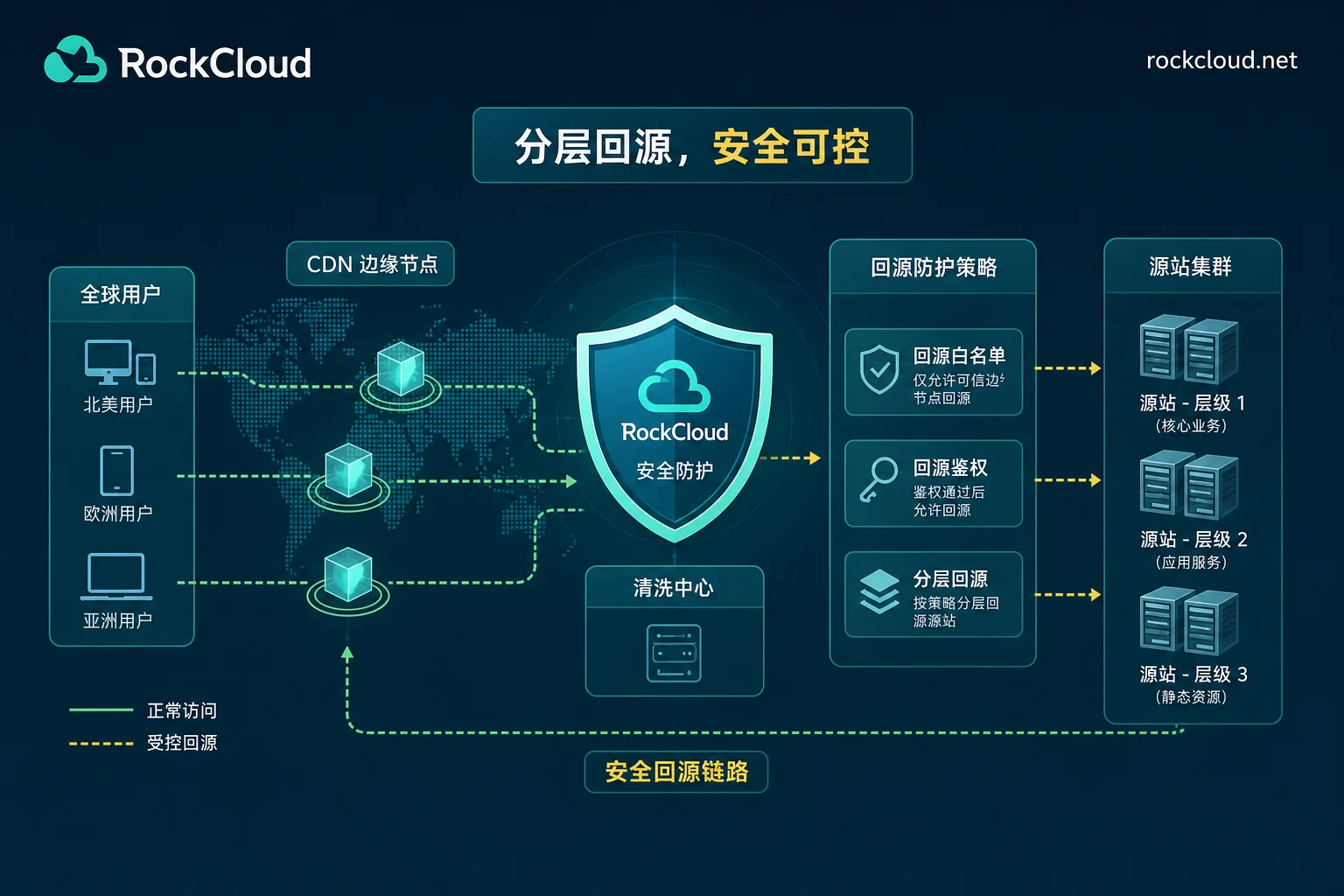
Layered Origin Return (Origin Shield): Aggregate origin requests at the edge region to prevent sudden traffic spikes from piercing the origin and causing thundering herd effects. Google Cloud Media CDN's architecture guide notes that multi-tier caching can aggregate origin traffic and converge the origin source into a white-listed fixed set.
The two are complementary: origin authentication solves "can't get in," while layered origin return solves "can withstand load." Authentication alone allows traffic to still pierce the origin; layered return alone still allows direct connection if the address is known. Used together, they provide a double layer of protection for the origin.
Step 5: Verify the leak is cut: direct connection tests, log comparison, and continuous monitoring
"Configuration successful" is not the same as "external can no longer probe," these are two independent acceptance points.
Verification checklist:
- Bypass the CDN and directly request the origin address; it should be rejected or time out.
- Requests in origin logs from non-origin IP ranges should be zero.
- Requests missing authentication headers should be rejected by the origin.
- Historical DNS resolutions, certificate transparency logs, and passive DNS should no longer show the origin address.
- Maintain a monitoring period spanning a business peak, continuously observing logs and resolution records, until non-origin IP range requests remain zero and passive DNS shows no new records, rather than finishing once configured.
If items 1 and 2 fail, the leak is not cut; if item 3 fails, authentication is not in effect; if item 4 fails, the address is still spreading in public sources, requiring expanded containment.
Post-IP-change review order if direct connections persist: what other services are speaking for the origin
If direct connections persist after changing the IP, don't immediately suspect the CDN configuration. Instead, check these outbound surfaces that "speak for the origin" in order:
- Email and alert sending: many servers use the origin IP to send emails, exposing the IP in mail headers.
- Independent subdomains and old resolution records: historical DNS records not cleaned up or leaked via subdomains.
- Management ports beyond origin: SSH, database ports directly exposed to the public.
- Object storage and third-party callbacks: callback URLs may contain the origin IP.
- Monitoring probes and SDK outbound traffic: monitoring systems actively probing the origin expose the address.
- Image repositories and container build traffic: CI/CD processes leak the origin IP in logs.
Each must be contained: email via third-party sending services, clean up subdomains and old records, management ports via bastion hosts, callbacks via edge functions, probes via proxies. For detailed pre-incident checks, refer to our article on How to Prevent Origin IP Exposure.
Division of labor between edge hosting and origin protection: how RockCloud fits into these steps
In the "contain access control" and "fix exposure" steps, RockCloud's High-Defense CDN integrates straightforwardly:
- Origin IP range whitelist: configure the origin security group to only allow edge node origin IP ranges, so external requests are intercepted at the edge.
- Origin authentication: add custom headers to origin requests; the origin only accepts requests with credentials, so even if the address leaks, attackers cannot get in.
- Origin protection: all origin traffic first passes through edge scrubbing, making the origin visible only to the CDN.
The difference: adding rules one by one on the origin firewall requires manual maintenance and is prone to omissions; the edge handles connection termination and access decisions, with unified rules and fast effect. After the IP change, the edge carries business traffic while the origin remains hidden, a natural division of responsibilities.
If you need to assess how to apply origin containment and authentication to your existing architecture, contact RockCloud support to review the configuration together.
Printable Origin IP Leak Response Checklist
| Step | Action | Responsible Role | Effect Indicator | Verification Signal | Rollback Method |
|---|---|---|---|---|---|
| Step 0 | Determine if it is a real leak or origin configuration issue | On-duty Ops | Clear log and configuration comparison | No external IPs appearing | None |
| Step 1 | Origin security group whitelist containment | Security Engineer | Non-origin IP requests rejected | Non-origin IP requests in logs drop to zero | Delete whitelist rules |
| Step 2 | Assess and decide on degradation/rate limiting | SRE | Connection pool and CPU return to normal | Error rate decreases | Disable rate limiting |
| Step 3 | Change IP per criteria and sync configuration | Ops + Security | New IP effective, DNS updated | Direct connections rejected | Switch back to old IP |
| Step 4 | Origin authentication and layered origin return | Ops | Requests missing auth headers rejected | No anomalies in auth logs | Disable authentication |
| Step 5 | Verify and continuously monitor | On-duty + Security | Direct connection times out, logs clean | No new records in passive DNS | Reopen monitoring |
This origin IP leak emergency response and remediation steps checklist can be printed and followed during incidents. It is also recommended to formalize it as an on-duty SOP and test direct connection interception and log zeroing in the next drill.
Frequently Asked Questions
If my origin IP leaks, should I shut down the server first?
In most cases, no. First apply access control containment, rejecting all non-origin IP ranges; the business can continue running. Only consider shutdown if the attack has saturated origin resources and containment is ineffective, or if the origin service itself is compromised. Shutdown is a last resort and directly causes business interruption.
I configured the origin whitelist but still get direct connections, how to troubleshoot?
First check if the security group is truly only allowing whitelisted IPs—many cases are due to leftover rules. Then check for bypasses, such as other services (email, monitoring) directly exposing the origin IP. Also confirm the CDN origin IP ranges are accurate, as some vendors' IP ranges change. Finally, review logs to identify the source IP and port of direct connections to determine if it's external scanning or internal service leakage.
What is the correct order for changing the origin IP?
First update the CDN origin configuration, then change the origin whitelist, and finally switch DNS. The order cannot be reversed: if you switch DNS first, the old IP is not yet managed by the CDN, and traffic will hit the origin directly. After the IP change, wait for DNS cache expiration, then verify with direct connection tests and log comparison. Throughout, retain the old IP for a period as a rollback plan.
Is it enough to only use origin authentication without changing the IP?
No. Origin authentication blocks direct connections without credentials, but if attackers obtain the authentication header (e.g., through log leakage), they can still get in. Changing the IP cuts the source, while origin authentication reinforces the defense; both are needed. If the address is already in public sources, change the IP first, then configure authentication.
How do I confirm whether my origin IP is really leaked?
Check three places: one, CDN origin logs—if there are requests from non-origin IP ranges, it's likely a real leak; two, certificate transparency logs—search for the domain to see if the origin IP has appeared; three, passive DNS—use online tools to check historical resolution records. If none show up, it might be an origin configuration issue, so don't rush to change the IP.
After using a high-defense CDN, is it impossible for the origin IP to be discovered again?
Not absolutely. High-defense CDN significantly increases detection difficulty, but if the origin has other outbound paths (email, monitoring, third-party callbacks), the IP will still be exposed. Origin whitelisting and authentication can restrict direct access but cannot guarantee 100% hiding. So continue monitoring resolution records and logs, and perform regular exposure checks.


Comments(0)