 RockCloud-基石云安全-官方博客
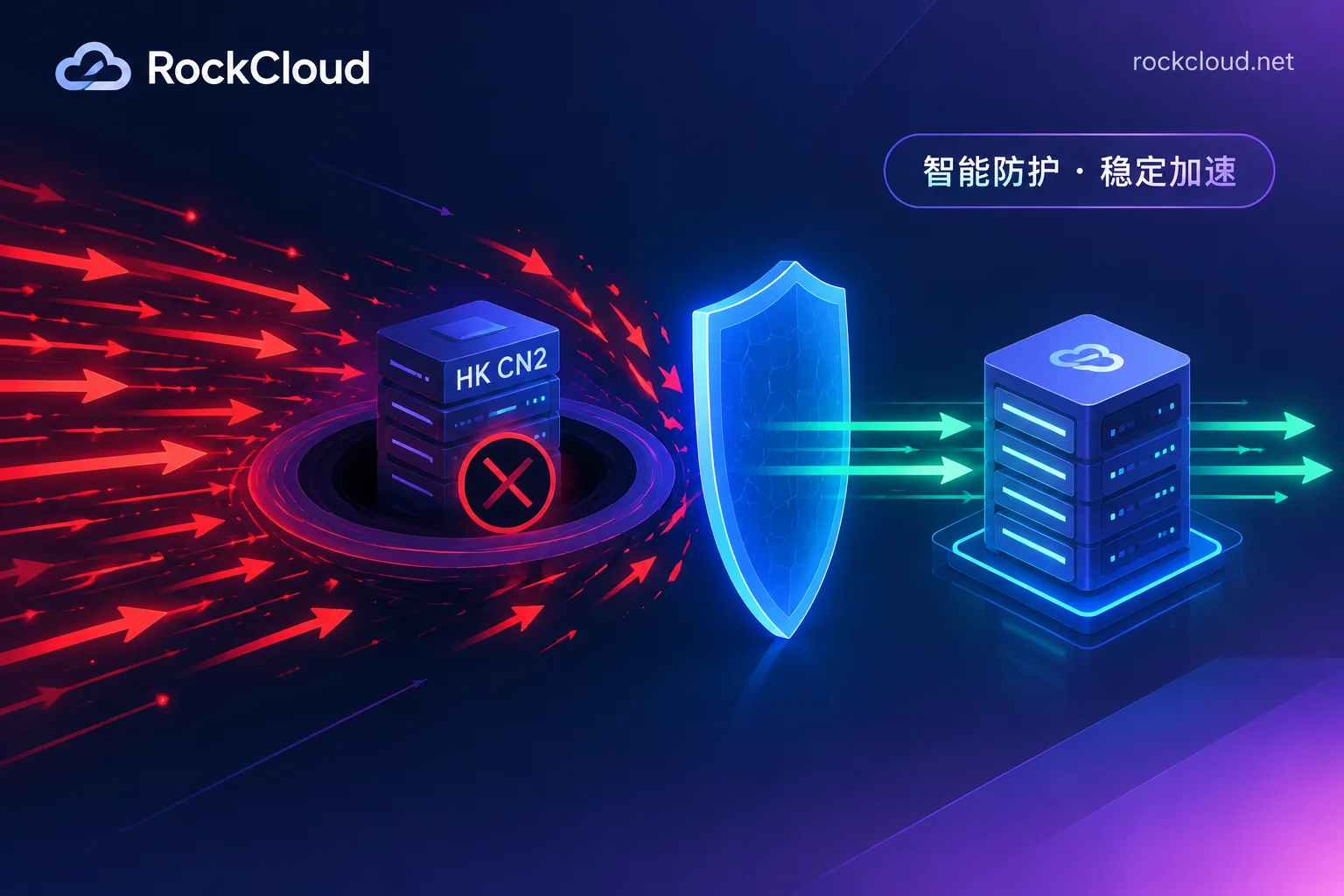
Conclusion first: when a Hong Kong CN2 server is hit by DDoS and business is interrupted, it's likely that the attack traffic exceeded the data center's protection threshold and the IP was blackholed. In this case, changing DNS won't lift the block, and repeatedly restarting the server won't help. The safer recovery order is:
- Confirm whether it's a blackhole and ask for the estimated unblock time;
- Decide whether to wait for unblock or change IP. If business can't wait, request a new origin IP;
- Integrate high-defense protection based on the business protocol, and never publish the new IP in any public DNS;
- Allow only the protection nodes' origin-pull subnets at the origin;
- Investigate where else the IP might leak, and restore traffic after verification.
Below we expand on this order.
Step 1: Confirm whether it's a blackhole or just slow
The handling for these two situations is very different, so distinguish them first.
- Blackhole: External ping and telnet to business ports all fail, but the server's internal load is low, and you can log in normally via the data center console or VNC. Cloud provider consoles usually show a "blackholed" or "blocked" status. If unsure, open a ticket and ask the data center directly.
- Not blackholed but business is very slow: The IP is reachable, but web pages won't open or APIs time out, and the server's CPU, connection count, and bandwidth usage are high. This is more like bandwidth saturation or an application-layer CC attack. For troubleshooting, see How to tell if a website is under DDoS or CC attack.
CN2 bandwidth is expensive. Many Hong Kong CN2 data centers have relatively low default protection thresholds, so large traffic attacks easily exceed them. The data center triggers a blackhole to prevent attack traffic from affecting the backbone and other tenants in the same facility. During the blackhole, all public traffic to this IP is dropped.
Step 2: Wait for unblock or change IP
Based on public blackhole policies from major cloud providers, automatic unblock generally takes from a few hours to 24 hours. If the attack continues, the blackhole timer is reset and extended. In other words, if the attacker doesn't stop, you may wait indefinitely.
When opening a ticket with the data center, ask these questions at once:
- The estimated unblock time for the current blackhole, and whether it will be extended if the attack continues;
- Whether the public IP can be changed, how long it takes, and whether there is a fee;
- Whether a new IP can be attached to a load balancer or internal front end without moving the original machine.
Rules on IP change turnaround and fees vary by data center; rely on the ticket response.
How to choose: For internal systems or businesses that can afford a day of downtime, you can wait for unblock while working on the protection steps below. For revenue-facing services such as websites, payments, APIs, and games, it's better to change the IP directly. The reason is that the old IP is already known to the attacker. Even if it gets unblocked, putting it back on the public internet will likely get it blackholed again immediately.
Step 3: Integrate high-defense based on protocol, keep the new IP private
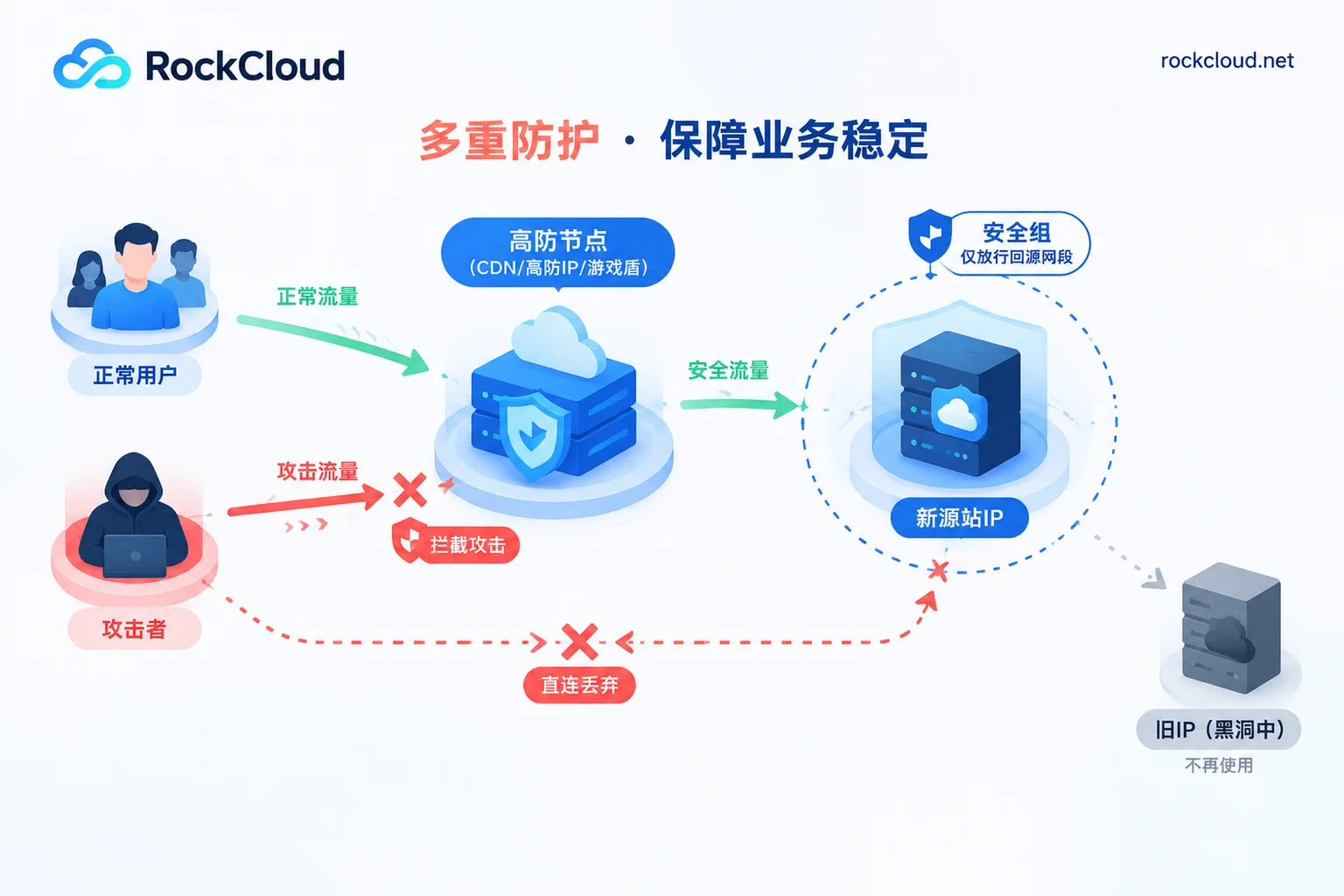
After getting the new IP, do not resolve it directly to your domain. User traffic should enter the protection layer first, and then the protection layer pulls from the new IP. Which protection to use depends on the business protocol:
- Websites, HTTP/HTTPS APIs: Use a high-defense CDN. CNAME your domain to the protection nodes; edge nodes handle network-layer scrubbing and application-layer CC, and the origin stays hidden behind.
- Non-web TCP/UDP services, long connections: Use a layer-4 high-defense IP for port forwarding.
- Game clients: Consider a game shield. It integrates via SDK or proprietary protocol encapsulation, so clients never see the real IP—this is key for game business protection.
When a business mixes several protocols, you can split and integrate them separately. See Should game servers choose high-defense IP or high-defense CDN and Does high-defense IP require DNS changes or port changes.
A common mistake: filling the CDN's origin-pull address with the old IP that was blackholed. While the old IP is blackholed, protection nodes cannot connect to it either, and business remains interrupted. The origin-pull address must be the new IP.
Many people choose Hong Kong CN2 for fast access from mainland China. Adding a generic overseas high-defense layer in front may cause routing detours and reduce speed. RockCloud's CN2 China acceleration supports direct connections to all three major Chinese networks, requires no ICP filing, and performs acceleration and DDoS/CC defense on the same link. Defense is included at no extra cost, making it suitable for businesses that need both protection and mainland access speed. If you are currently under attack, you can directly use the emergency contact entry to explain your business protocol and current status, and apply for integration or a free test. For line plans, see CN2 acceleration.
Step 4: Allow only origin-pull subnets at the origin
After integrating protection, tighten inbound rules at the origin. Otherwise, attackers can find the new IP through historical DNS records, internet-wide scanning, etc., and bypass protection to hit the origin directly.
We recommend two layers:
- Cloud provider security group or data center firewall: Allow business ports only from the origin-pull IP subnets provided by the protection vendor. Allow management ports (SSH, remote desktop) only from your own fixed egress IP.
- Server local firewall: Apply the same restrictions again using iptables or firewalld.
An iptables example follows. Use the origin-pull list provided by the vendor. Allow your management IP first, then add DROP rules to avoid locking yourself out:
# 已建立的连接放行
iptables -A INPUT -m state --state ESTABLISHED,RELATED -j ACCEPT
# 管理端口只放行自己的出口IP
iptables -A INPUT -p tcp --dport 22 -s 你的办公出口IP -j ACCEPT
# 业务端口只放行防护节点回源网段(有几段就加几条)
iptables -A INPUT -p tcp -m multiport --dports 80,443 -s 回源网段 -j ACCEPT
# 其余访问业务端口和管理端口的流量全部丢弃
iptables -A INPUT -p tcp -m multiport --dports 22,80,443 -j DROP
Note: A local firewall can block direct access and scanning, but it cannot stop bandwidth-saturating traffic attacks. Once the new IP leaks again, large traffic will still blackhole it. So the whitelist is only a supplement; the real key is that the new IP is not exposed.
Step 5: Investigate leak paths, then restore after verification
First, investigate where the new IP might leak:
- Whether subdomains, MX mail records, forums, and other side services still resolve directly to the origin;
- Requests initiated by the origin to the outside, such as sending emails, calling third-party APIs, or webhook callbacks, will expose the egress IP to the other party;
- The old IP in historical DNS records cannot be retracted, so the new IP should not be in a position that is easily scanned together with it.
For how to close each one, see Will the origin IP still be exposed after integrating a high-defense CDN.
For verification, at least do these three checks:
- Resolve the domain from an external network; the returned address should be the protection node, not the origin IP;
- Access the new IP's business port directly from outside; it should be unreachable;
- Access the business normally via the domain, check that key functions like login, payment, and long connections work, and ensure the source IPs in origin-pull logs are within the whitelist subnets.
After all three pass, set the DNS TTL back to normal and restore full traffic.
After recovery
This breach usually indicates two things: the origin IP was exposed, and the data center's built-in protection threshold was insufficient. Going forward, treat "protection layer in front, origin hidden, only origin-pull subnets allowed" as a fixed architecture, rather than switching temporarily next time. For specific choices, see Does a Hong Kong server need high-defense protection. If you're still deciding on the line itself, see Hong Kong CN2 vs Hong Kong BGP: which is better.



Comments(0)