 RockCloud-基石云安全-官方博客
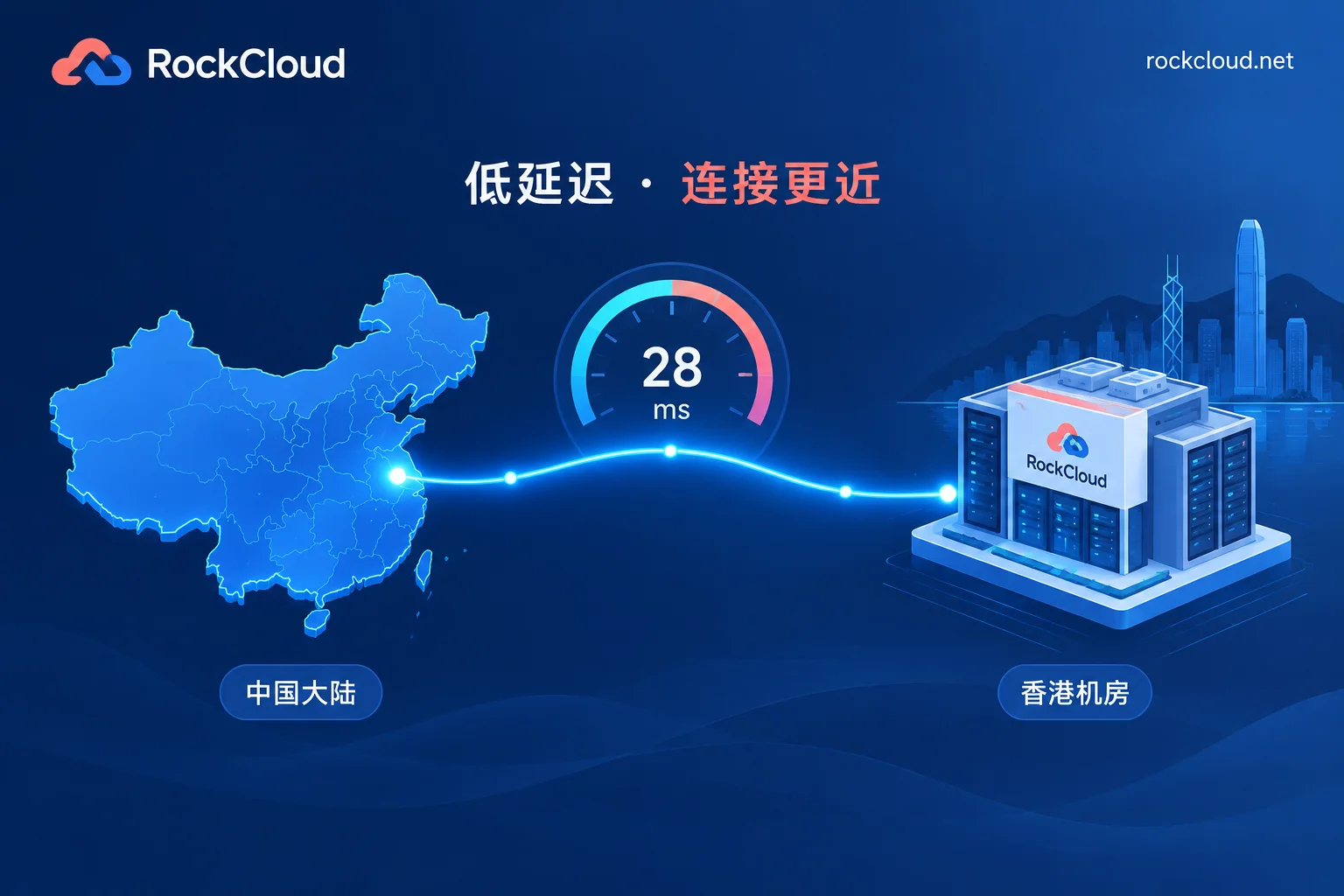
For mainland Chinese users accessing Hong Kong CN2 routes, the round-trip latency (ping) is generally 20–50 ms. The exact value mainly depends on the user's region:
| User Region | Typical Normal Range |
|---|---|
| Southern coastal China (Guangdong, Shenzhen, Guangzhou, etc.) | 10–30 ms |
| Eastern China (Shanghai, Zhejiang, Jiangsu, etc.) | 30–50 ms |
| Southwest, Central China | 40–60 ms |
| Northern China (Beijing, Tianjin, Shandong, etc.) | 50–70 ms |
| Northwest and remote areas | about 70–90 ms |
There is a simple rule of thumb: if latency in non-remote mainland areas consistently exceeds 100 ms, it is likely not using direct-connect optimization, or the route is taking a detour.
The table above is only a reference, not a contractual metric. Different cities within the same province and different ISPs pass through different provincial interconnection nodes, so a difference of a few milliseconds is normal fluctuation.
Beyond average latency, three more metrics matter
A good average does not mean the route meets standards. The following three items also need to be confirmed:
- Packet loss: A high-quality Hong Kong CN2, especially CN2 GIA, should have near 0 packet loss when there is no failure, generally below 1%. Sustained packet loss of 5% or more is abnormal.
- Jitter: Continuous ping results should be relatively stable, with the maximum not differing greatly from the average.
- Peak-hour performance: Latency during 20:00–23:00 should be basically the same as during off-peak hours. If latency doubles at night and rises above 100 ms, the common causes are provider bandwidth overselling, network congestion, or the route not being full GIA.
To judge whether a route is normal, look at three things: latency falls within the reference range for the region, there is no obvious increase during peak hours, and packet loss stays below 1%.
How to test: a four-step self-check
1. Choose the right test points. Tests should be initiated from the user's location, and separately for China Telecom, China Unicom, and China Mobile. Testing on only one broadband line at the office means the result only represents that line. Use a wired network during testing to avoid fluctuations caused by local Wi-Fi.
2. Test once during off-peak and once during peak hours. Send at least 100 packets each time, and record the average, maximum, and packet loss rate:
- Windows:
ping -n 100 服务器IP - Linux / macOS:
ping -c 100 服务器IP
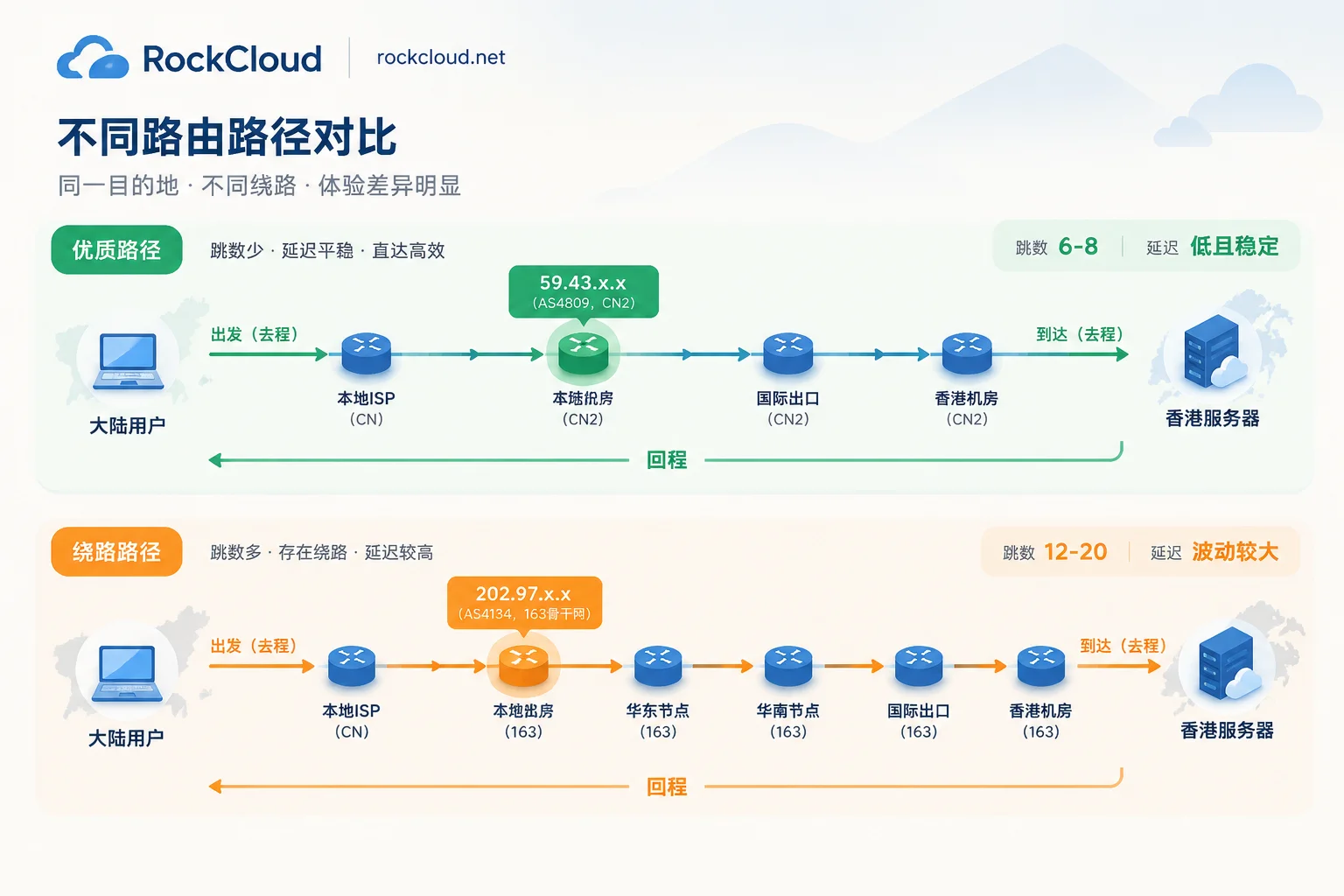
3. Check the outbound route. Use mtr -r -c 100 服务器IP (on Windows, you can use tracert or WinMTR), focusing on the IP ranges of intermediate nodes:
- Nodes starting with 59.43.x.x indicate the China Telecom CN2 backbone (AS4809);
- A large number of nodes starting with 202.97.x.x indicate the traditional 163 backbone (AS4134).
4. Check the return route. Log in to the server and run an MTR against your local public IP. Only when both outbound and return routes show 59.43 nodes is it bidirectional CN2.
Abnormal latency: matching common causes
| Symptom | More Likely Cause | Next Step |
|---|---|---|
| Return route has 59.43, outbound has many 202.97 or detours | One-way CN2: only the return route uses CN2, outbound uses regular 163 | Confirm the outbound route type with the provider |
| Normal during off-peak, doubles during peak with rising packet loss | Bandwidth overselling, congestion, or not full GIA | Record peak-hour data for several days and give it to the provider for verification |
| Telecom is normal, Unicom and Mobile have high latency and obvious jitter at night | CN2 is a China Telecom network; the data center has not made separate direct-connect optimization for China Unicom (e.g., AS4837/9929) and China Mobile (e.g., CMI/AS9808), so cross-network interconnection tends to slow down during peak hours | Confirm whether the data center provides three-network direct connection |
| Only one test point is poor, other regions are normal | A problem with the local network or ISP at that test point | Test from another test point |
These correspondences are only for narrowing down the scope of troubleshooting. The final conclusion should be based on data from all three networks, both directions, and multiple time periods, not a single test.
What to do if it fails to meet standards after testing
First, verify with your provider. Bring the MTR results and ask three things: whether both outbound and return routes use CN2 GIA, whether China Unicom and China Mobile have separate optimization, and how much bandwidth headroom exists during peak hours. Many issues can be identified at this step as either a route problem or a configuration problem.
If you don't want to migrate the server, you can add a layer of acceleration in front of the origin. If your users are mainly distributed across the three major mainland networks and the existing server is costly to migrate, you can add CN2 acceleration in front of the origin, so users enter the optimized route before reaching the origin. RockCloud's CN2 China acceleration supports three-network direct connection, no ICP filing required, and acceleration and DDoS/CC defense are completed on the same link with only one fee, suitable for businesses that care about mainland access speed and are worried about attacks. Before onboarding, you can apply for a free trial, use the same four-step method above to test off-peak, peak, and three-network data separately, and then compare with the results before onboarding.
If you are still judging whether your business is suitable for Hong Kong CN2, you can refer to: Which Businesses Are Suitable for Hong Kong CN2 High-Defense Servers: Three Scenarios, Two Limitations, and Common Architectures.



Comments(0)