 RockCloud-基石云安全-官方博客
During peak hours (20:00–23:00), packet loss is most likely caused by one of these five categories:
- The server itself can't handle the load
- The return route is not using CN2 GIA
- China Mobile and China Unicom users are taking cross-network detours
- Upstream bandwidth oversold by the data center
- A small-scale attack saturates the interface
Start by spending ten minutes ruling out local issues, then run a bidirectional MTR during peak hours. This usually identifies which layer the problem is on. Different layers require different fixes. Switching data centers without pinpointing the cause often leads to the same packet loss after migration.
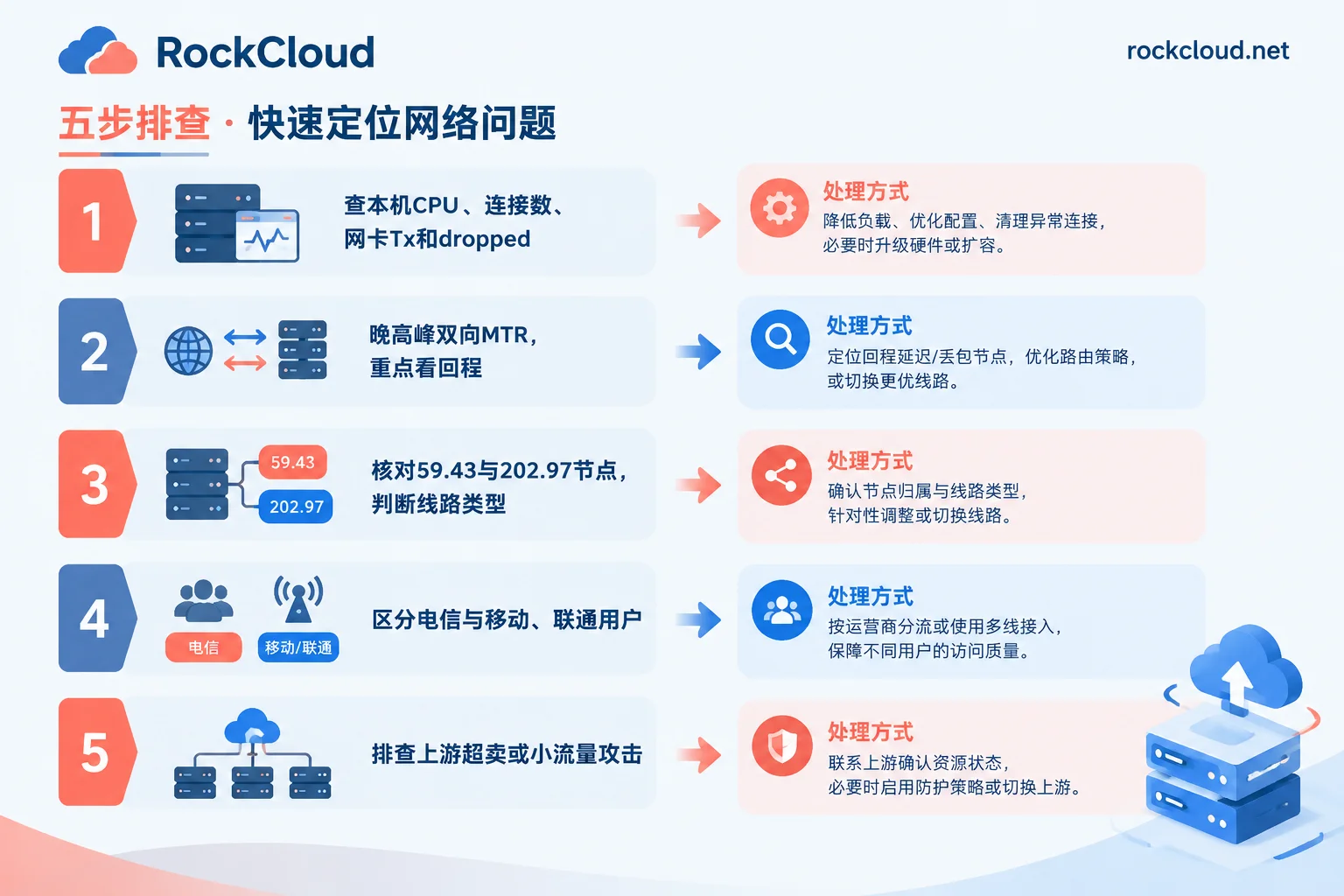
Step 1: First Confirm It's Not the Server's Own Problem
Log into the server during the packet loss period and check these four items:
- CPU and load: Use
toporhtopto check. When CPU is maxed out, responses slow down and time out, making it look like packet loss to clients. - Connection count: Use
ss -sto view total connections, and watch for abnormal spikes inSYN_RECVandTIME_WAIT. - Outbound bandwidth: Use
sar -n DEV 1oriftopto see if the NIC Tx is hitting the purchased bandwidth limit. - NIC drops: Use
ip -s linkto check dropped counts. You can also runethtool -S 网卡名 | grep -i dropto observe if the count increases along with peak hours.
If Tx is at the limit or dropped counts keep growing, the bottleneck is local bandwidth or performance, and changing lines won't help. In this case, either scale up or offload traffic from the origin server, as discussed later.
If connection counts surge and the request sources are concentrated with a single request path, consider a CC attack. Refer to How to Determine If Your Website Is Under DDoS or CC Attack.
Step 2: Run Bidirectional MTR During Peak Hours, Focus on the Return Route
Many people only ping the Hong Kong server from their local machine, which only tests the outbound route. Most CN2 peak-hour issues occur on the return route—the path from the Hong Kong server back to domestic users.
Specific steps:
- Outbound: From the domestic user side, run
mtr -rwzbc 100 服务器IPto the Hong Kong server. - Return: On the Hong Kong server, run the same command to target IPs of China Telecom, China Unicom, and China Mobile. Use IPs from the actual networks your users are on, such as public IPs of different ISP broadband connections at your office or home.
- Compare: Run another set during off-peak hours and compare with peak-hour results.
Parameter explanation: -z shows AS numbers for easier line identification; -c 100 sends 100 packets per hop, giving more reliable results than a few pings.
How to interpret the results:
- Packet loss at a middle hop but 0% at subsequent hops: Likely that router rate-limits ICMP, not real packet loss. Ignore it.
- Packet loss starting from a certain hop and continuing to the last hop, with a noticeable latency jump: This is a real packet loss point. Note the IP, AS number, and location of that hop.
- Packet loss only in one direction: The problem is unidirectional routing, most commonly the return route.
Save these screenshots; you'll need them when contacting your service provider.
Step 3: Verify the Actual Line Type from the Route
After obtaining the return route, look at the backbone nodes:
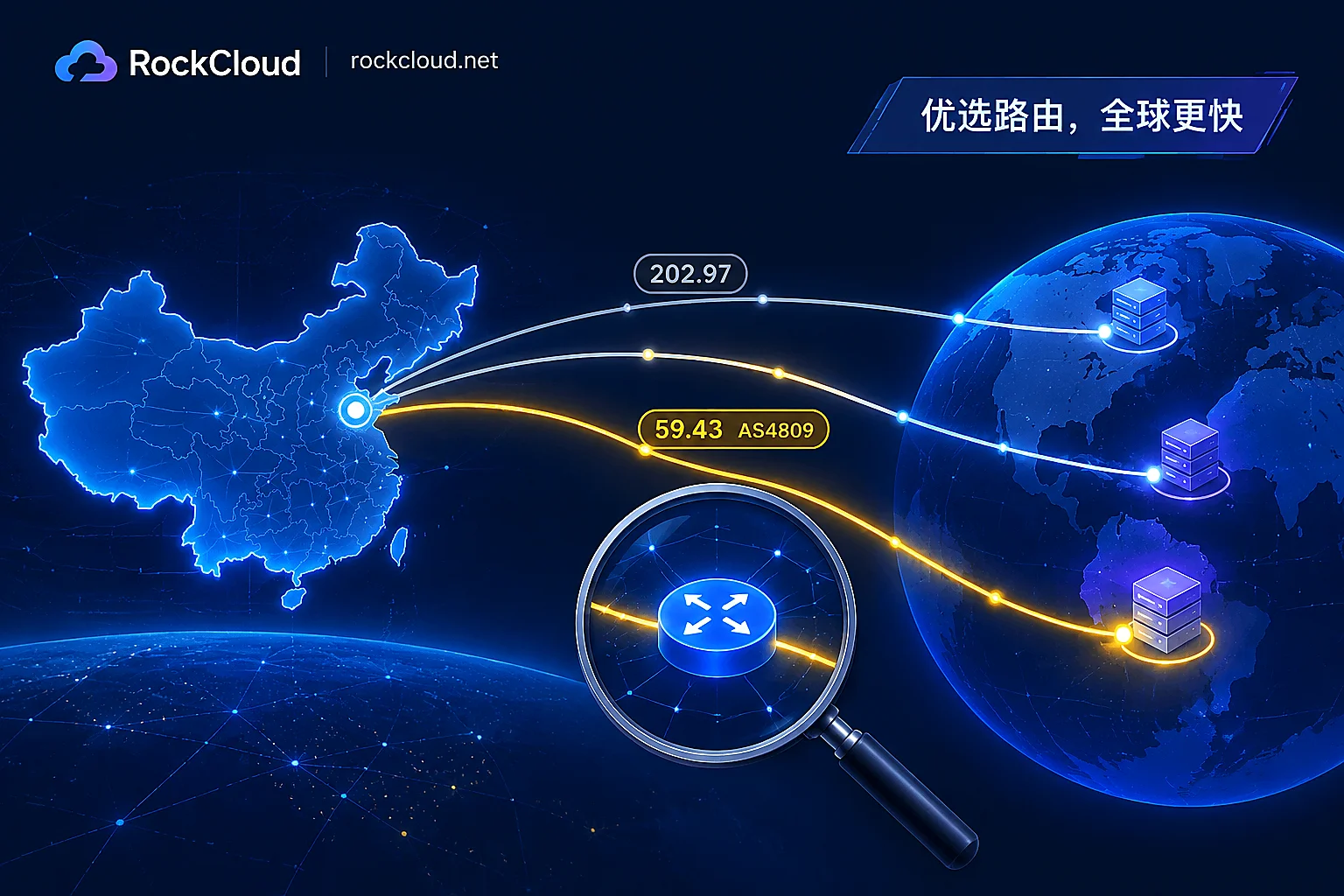
- Both outbound and return routes go through nodes starting with 59.43 (AS4809): This is CN2 GIA, usually stable during peak hours.
- Nodes starting with 202.97 appear: This indicates CN2 GT or the regular 163 backbone (AS4134). During peak hours when international egress is congested, such lines are more prone to packet loss.
- Outbound via CN2, return via 163, or detouring through the US, Japan, etc.: This is the most typical source of peak-hour packet loss, with loss rates potentially exceeding 30% in severe cases.
For detailed identification, see How to Determine If It's Really a CN2 Line. For the difference between the two CN2 types during peak hours, see What's the Difference Between CN2 GIA and CN2 GT.
If the actual line doesn't match what was advertised, take the peak-hour MTR screenshots to your provider and request adjusting the return route or switching lines.
Step 4: Check If Only China Mobile and China Unicom Users Experience Packet Loss
CN2 is China Telecom's premium network and isn't inherently the optimal path for China Mobile and China Unicom users.
If China Telecom return route is normal but China Mobile or China Unicom return routes have packet loss and detours during peak hours, the problem is cross-network interconnection. Single-line Hong Kong data centers with only China Telecom CN2 are most prone to this.
Before addressing, check the user ISP distribution in your backend or analytics:
- Mostly China Telecom users: Limited impact.
- Significant proportion of China Mobile and China Unicom users: Need targeted optimized lines. For China Unicom, AS9929 is common; for China Mobile, CMI and CMIN2. You can also add a layer of three-network direct-connect acceleration nodes in front.
Step 5: If All Above Are Normal, Suspect Upstream Overselling or Attack
One scenario is harder to diagnose: local bandwidth not maxed, route is indeed GIA, but random packet loss still occurs during peak hours.
CN2 bandwidth is expensive, and some small data centers lack sufficient upstream bandwidth reserves, leading to overselling during peak hours. When neighboring users have traffic bursts, it may trigger ISP QoS rate limiting, causing packet loss on your server too. If other users in the same data center report similar issues, this is likely the cause. You can ask the provider for upstream port monitoring or migrate to another data center.
Another possibility is an attack. CN2 lines have weak inherent defense; even a small DDoS or CC during peak hours can saturate the physical interface. The indicator is: inbound traffic, packet rate, or connection count abnormally rising during the packet loss period.
Solutions by Cause
| Cause | Indicator | Solution |
|---|---|---|
| Local performance or bandwidth insufficiency | Tx at limit, CPU maxed, NIC dropped increasing | Scale up; separate static and dynamic content, move static traffic off origin |
| Return route not GIA | Return route shows 202.97, 163, or detours through third countries | Ask provider to adjust return route, or switch to a true GIA line |
| Cross-network detour | Only China Mobile and China Unicom experience loss | Switch to three-network optimized line, or add three-network acceleration nodes in front |
| Upstream overselling | Local and route normal, random packet loss, similar feedback from same data center | Ask provider for monitoring, or migrate data center |
| Small-scale attack | Inbound traffic, connection count abnormal during loss | Add protection layer, hide origin IP |
Long-Term Approach: Add a Layer of Three-Network Acceleration and Protection in Front of the Origin
If your business serves users across all three networks and needs to handle traffic and attacks during peak hours, simply buying more CN2 bandwidth for the origin is costly and doesn't solve cross-network and protection issues.
A more efficient approach is to add a layer of CDN edge nodes in front of the Hong Kong origin, requiring both three-network direct connect and DDoS/WAF cleaning capabilities. This offers three benefits:
- Users connect to nodes with better lines first; static resources are returned directly by the nodes, significantly reducing downstream pressure on the origin.
- The origin IP is hidden and less likely to be directly attacked.
- The origin no longer needs to purchase expensive CN2 large bandwidth specifically for peak traffic.
Two notes. First, this layer doesn't offload CPU pressure from dynamic requests; performance bottlenecks found in step 1 must still be resolved at the origin. Second, after integration, lock down the origin IP, otherwise the hiding effect is compromised. For details, see Will the Origin IP Still Be Exposed After Using High-Defense CDN. For TCP/UDP private protocol game services, regular CDN doesn't apply; refer to Should Game Servers Choose High-Defense IP or High-Defense CDN.
If troubleshooting reveals return route detours, cross-network packet loss, or small-scale attacks during peak hours, try RockCloud's CN2 China Acceleration. It supports direct connections for China Telecom CN2, China Unicom, and China Mobile, with no ICP filing required. Acceleration and DDoS/CC protection are completed on the same link with one fee; billed by fixed peak, unlimited traffic.
We recommend applying for a free trial first. Run MTR to the same set of target IPs during peak hours, compare packet loss rates and business monitoring data before and after, then decide whether to switch.



Comments(0)