 RockCloud-基石云安全-官方博客
The effective time depends on which layer the traffic is steered to high defense through, and has little to do with the high-defense product itself.
- DNS changes (pointing CNAME or A records to high defense): Usually takes a few minutes to tens of minutes, mainly depending on the original record's TTL and LocalDNS caches in various regions. Some ISPs' caches do not expire according to TTL and may delay up to several hours.
- BGP route steering (BGP announcements, Flowspec): Generally a few seconds to 30–60 seconds. After global route convergence, traffic directly enters the scrubbing cluster without relying on users re-resolving the domain name.
- Traffic is already on the high-defense link, only adjusting policies (protection mode, blacklist/whitelist, elastic bandwidth): Mostly takes effect within seconds to 1 minute.
- Game Shield SDK scheduling: The client maintains its own node list and performs speed tests. When a node is attacked, it can switch to a backup node within milliseconds to seconds.
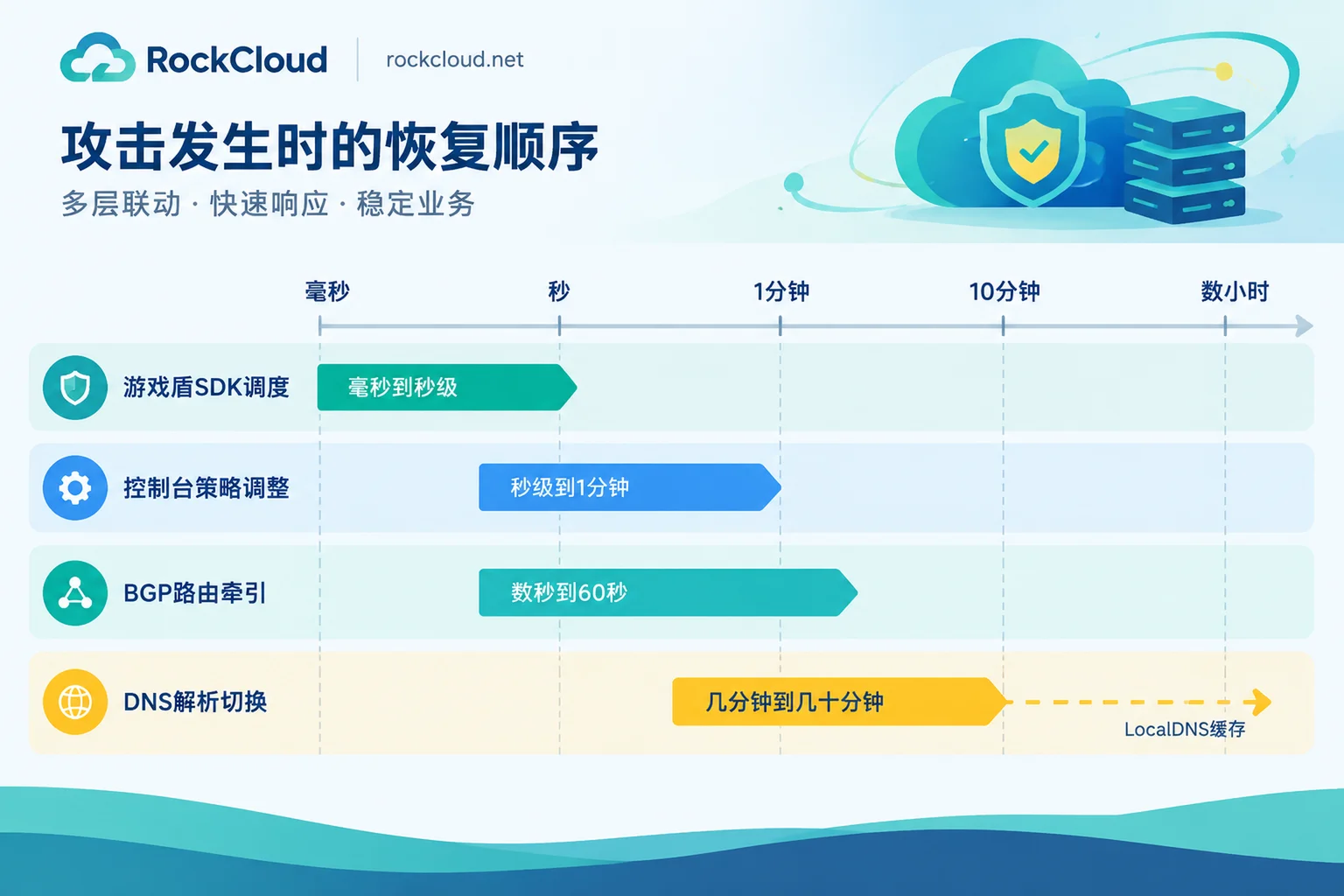
Therefore, before estimating the time, first confirm which situation you are in. If the domain name currently resolves directly to the origin server, connecting to high defense can only be done by changing resolution, so estimate according to the DNS pace. If the protected IP is announced and steered by the high-defense provider's network, estimate according to route convergence. If the business normally runs on the high-defense CDN, there is no switching step when an attack comes.
Why DNS Changes Are Slow
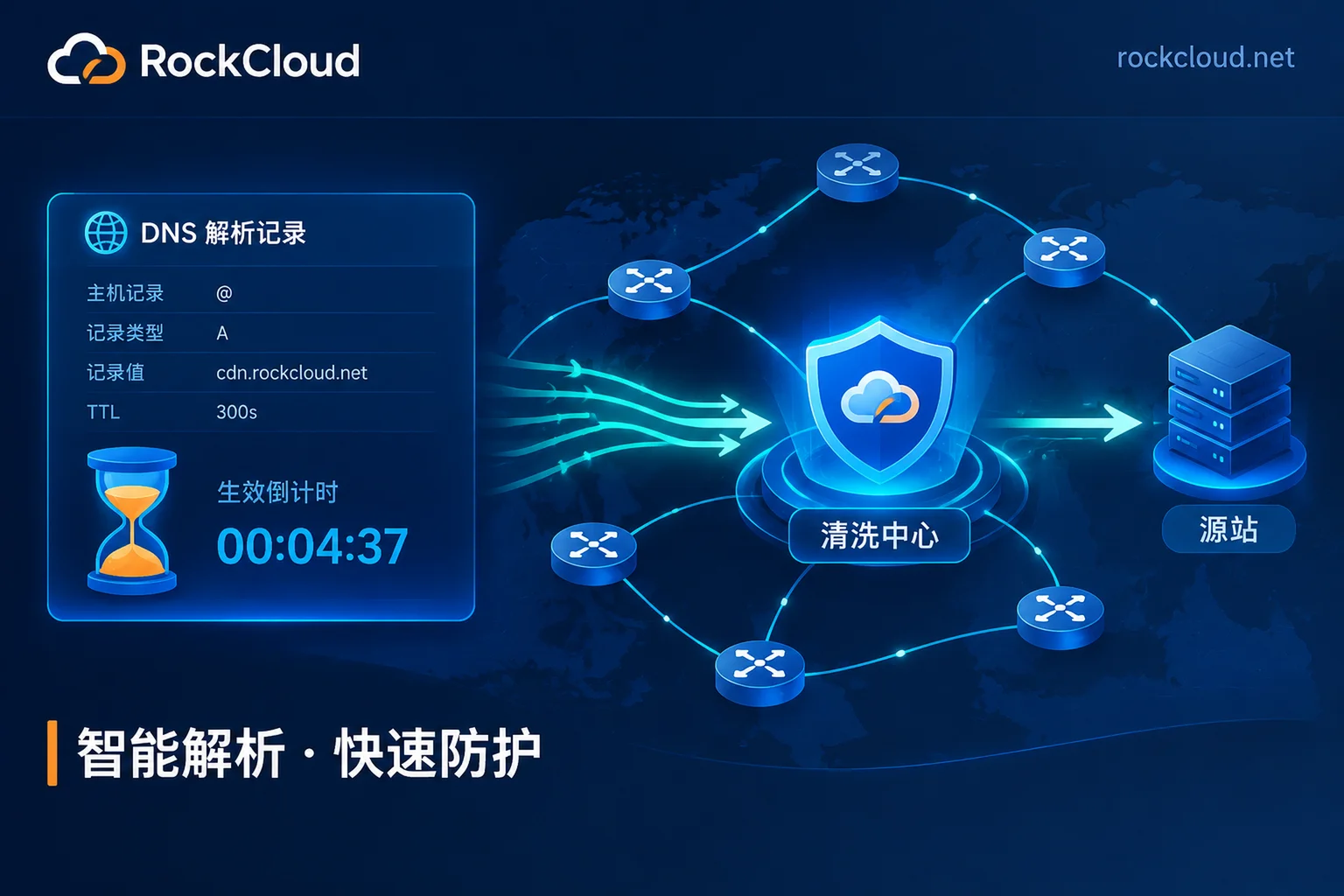
Recursive DNS caches the old record until the TTL expires before querying again. If the original record TTL is 600 seconds, some users may wait up to about 10 minutes before getting the new address; if the TTL is 3600 seconds or longer, the waiting time increases accordingly. In addition, LocalDNS in some regions do not fully comply with TTL. There is no unified statistical data for this situation; in practice, it must be determined through multi-location probing.
Before the cache expires, normal traffic and attack traffic from these users will continue to go directly to the origin server, and this window period cannot be completely avoided. There is another situation to consider separately: when attackers directly hit the origin server IP without going through the domain name, changing resolution has no effect on this traffic at all, and the origin server IP needs to be changed, as described below.
Planned Cutover: Lower TTL in Advance
- 24–48 hours in advance, lower the TTL of the records to be switched to 60–300 seconds. The reason to do this in advance is that caches in various regions still hold the old long TTL, and the new short TTL will only take effect after they expire.
- Configure the domain name, origin address, and certificate on the high-defense side. First use local hosts to point the domain name to the high-defense address, and test pages, APIs, login, and payment callbacks to confirm that origin retrieval works properly.
- Modify the resolution records during off-peak hours.
- Confirm effectiveness using the method below.
- After old caches have basically expired, lock down the origin server: In the firewall or security group, only allow the high-defense origin retrieval IPs. Locking down too early will make users still on the old resolution unable to access.
- After the cutover is stable, change the TTL back to its usual value.
Temporary Switching During an Active Attack
At this time, old caches have not expired, and a window period is inevitable. What you can do is stabilize the switched portion as quickly as possible. It is recommended to handle it in this order:
- Complete the access configuration on the high-defense side first, then change resolution. Otherwise, once resolution is switched but origin retrieval fails, you have effectively cut off your own business.
- Modify resolution and lower TTL at the same time. The lowered TTL only applies to caches generated afterward; existing caches still expire according to the old TTL.
- Determine whether the IP itself is being attacked. If the attack is directly against the origin server IP, or the data center has already blackholed this IP, changing resolution cannot save it. You should change to a new origin server IP, fill it only in the high-defense origin configuration, and never let it appear in any resolution record. For the handling order after blackholing, see How to Handle a Hong Kong CN2 Server Hit by DDoS; for leakage paths and lockdown methods for origin server IPs, see Will the Origin Server IP Still Be Exposed After High-Defense CDN Access?.
- After resolution has taken effect broadly, adjust policies in the console according to the attack type. This step usually takes seconds to 1 minute.
If the business is under attack and you need assistance with access, you can directly contact RockCloud Emergency Access.
How to Confirm It Has Fully Taken Effect
- Probe resolution results from multiple locations, covering the regions and ISPs where your main users are located, to see whether they all return the high-defense address.
- Check origin server access logs. Requests from non-high-defense origin retrieval IPs should gradually decrease until they basically disappear.
- Check the high-defense console to confirm that traffic and attack data have appeared on the panel.
If resolution fully points to high defense but the origin server is still being directly connected, it is most likely that the origin server IP has been exposed. Handle it as in step 3 of the previous section.
Why BGP Steering Is Fast
BGP steering works at the network layer: routers issue BGP announcements or Flowspec rules, and after the global routing table converges, traffic destined for this IP is directly steered to the scrubbing cluster. This process is usually completed within a few seconds to 30–60 seconds, regardless of the client's DNS cache. The premise is that the protected IP or IP range is routed by the network providing steering, usually the address provided by the high-defense IP or scrubbing service. An arbitrary ordinary cloud server IP does not meet this condition. For the specific process of steering and reinjection, see How Does BGP Anycast Scrubbing Work?.
Games and Private Protocols: Use SDK to Bypass DNS
After the Game Shield client integrates the SDK, node scheduling does not go through public LocalDNS, so node switching can be done within milliseconds to seconds, and players usually do not notice it. This method requires the client to integrate the SDK, and ordinary web access cannot use it. For ideas on splitting access methods by protocol, see Should Game Servers Choose High-Defense IP or High-Defense CDN?.
Don't Want to Wait Next Time: Keep Protection Always On
The most direct approach is to keep the business on the high-defense CDN at all times. In this way, when an attack occurs, only policy adjustments remain, and there is no need to temporarily change resolution. The trade-off is that daily traffic will also pass through this link, so you should test latency in various regions before access and calculate costs.
RockCloud's acceleration and protection are completed on the same link, with only one fee, billed at a fixed peak and unlimited traffic. You can first apply for a free test, run your business through it using hosts or a test subdomain, and then decide whether to switch the official domain over.



Comments(0)